Best Pet Camera: Picks for Dogs and Cats
Compare four pet cameras for local recording, treat interaction, adjustable room views and meal monitoring. Learn what subscriptions add and how to plan Wi-Fi, placement and privacy.
Petful is reader supported. As an affiliate of platforms like Amazon and Chewy, we may earn a commission when you buy through links on this page. There is no extra cost to you.
The best pet camera is the one that answers your main question while you are away: where your pet is resting, what happened earlier, whether a treat was dispensed, or who showed up for dinner. Those jobs call for different features. A rotating room camera, a treat dispenser and a camera-equipped feeder are useful in different ways.
Our picks cover four clear priorities: Reolink E331 for local recording, Petcube Cam 360 for adjustable live viewing, Petcube Bites 2 Lite for treat interaction, and the Petlibro Granary camera-feeder bundle for watching scheduled meals. This comparison draws on manufacturer documentation and product specifications; we have not conducted hands-on testing.

Sign up for expert-backed reviews and safety alerts all in one place.
Best pet cameras at a glance
For a pet monitor you can check while away, decide whether you need a live view, saved footage or both.
For this selection, the best pet camera for recording without an ongoing cloud-storage commitment is the Reolink E331. Choose the Petcube Bites 2 Lite when tossing treats is the feature you will actually use. The other two choices serve adjustable room viewing and meal monitoring, respectively.
Start with the event you want to see, then decide whether watching live is sufficient. A camera that lets you check on a sleeping dog during lunch does not necessarily let you replay barking from two hours earlier. Likewise, a feeder camera can show activity at a bowl while missing the cat resting on a tall shelf elsewhere.
- 1The best pet camera matches the job: room monitoring, local recording, treat interaction or watching meals.
- 2Live viewing, saved recordings and smart alerts are separate features. Check which require a subscription.
- 3A pet camera can help you observe your animal, but it cannot provide physical care or treat separation anxiety.
| Product choice | Main use | Wi-Fi connection | Main limitation |
|---|---|---|---|
| Reolink E331 Indoor 360 Pan/Tilt Dog & Cat Security Camera | Local recording and adjustable room coverage | 2.4GHz or 5GHz | No treat dispenser; a microSD card is an additional purchase unless included |
| Petcube Cam 360 Wi-Fi Pet Camera, White | Pan-and-tilt live monitoring | 2.4GHz | Saved video and smart alerts are separate from basic live viewing |
| Petcube Bites 2 Lite Interactive WiFi Pet Monitoring Treat Dispenser Camera | Watching pets and tossing treats | 2.4GHz | Stationary camera; recording and alert entitlements depend on the service |
| Petlibro Granary camera-feeder bundle, White, 5-L | Watching scheduled dry-food meals | 2.4GHz or 5GHz | Camera prioritizes the feeding area; battery backup does not power camera operation |
The following comparison separates the purchase from the services attached to it. A cloud-storage allowance included with a bundle is different from permanent free recording, and access to an app is different from access to every feature within that app.
| Product choice | Live viewing | Recording approach | Subscription features | Main limitation | Wi-Fi bands |
|---|---|---|---|---|---|
| Reolink E331 | Live monitoring through the Reolink app | Local microSD recording | A cloud plan is not necessary for the local-storage approach | Storage card and suitable placement still need planning | 2.4GHz and 5GHz |
| Petcube Cam 360, White | Basic live viewing without a subscription | Petcube Care saved video | Saved recordings and smart alerts | Live access does not include every recording or notification feature | 2.4GHz |
| Petcube Bites 2 Lite | Live monitoring through the Petcube app | Check current Petcube Care recording entitlements | Recording and alert features depend on the current service | Do not assume older free-history descriptions still apply | 2.4GHz |
| Petlibro Granary White 5-L camera-feeder bundle | Live viewing without a subscription | Local microSD or optional cloud storage | Selected bundle includes 90 days of video cloud storage | Included cloud service is time-limited; backup batteries do not maintain video | 2.4GHz and 5GHz |
Reolink E331: for local recording and flexible Wi-Fi
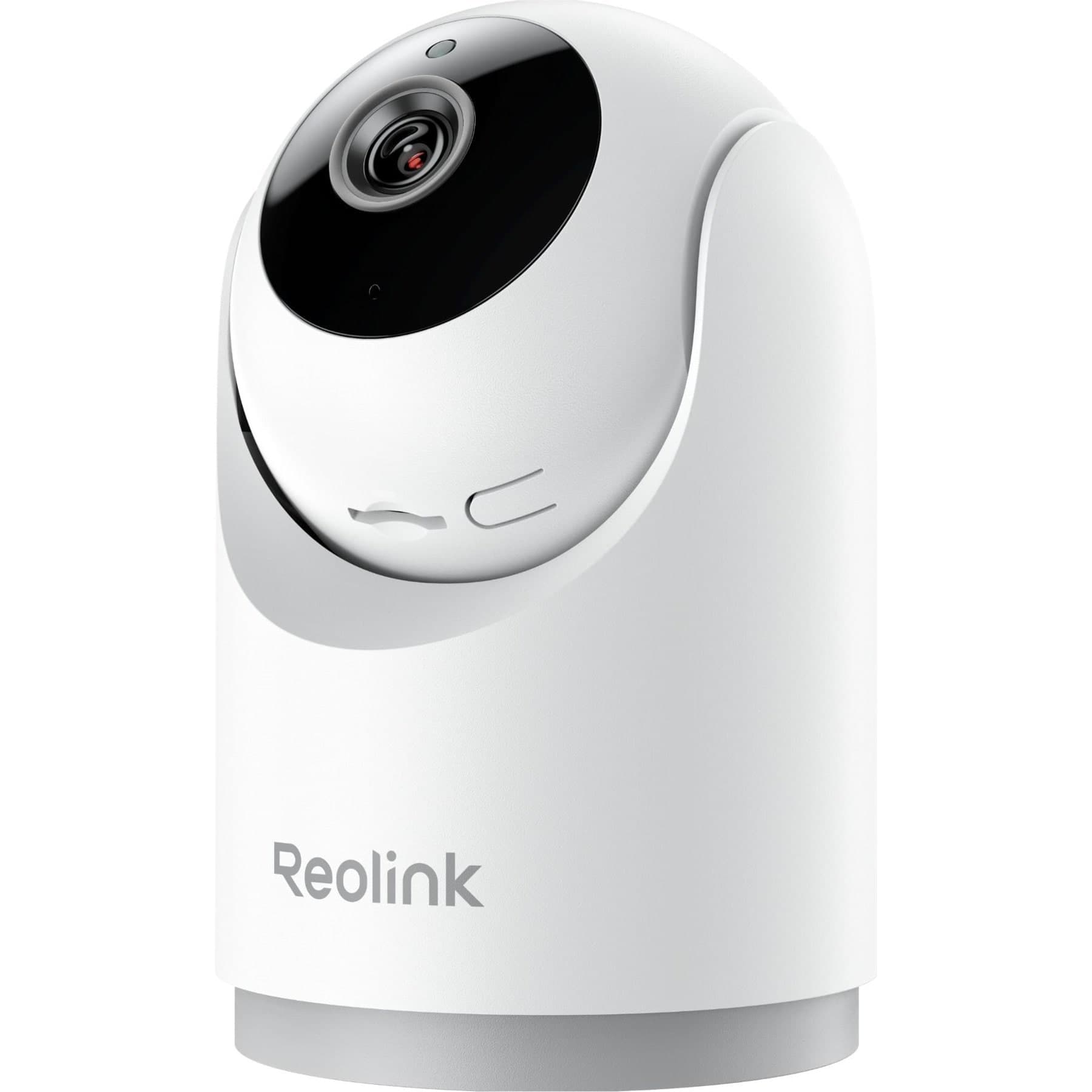
Local recording and dual-band Wi-Fi. No treat dispenser; microSD storage is an additional purchase unless explicitly included.
Petful may earn a commission when you click through to Chewy, at no extra cost to you.
The E331 is the strongest fit here when your priority is keeping recordings locally rather than building your routine around a paid cloud timeline. Reolink lists microSD support up to 512GB, dual-band Wi-Fi and motorized movement. Its specified video resolution is 2880 × 1616, with frame rates up to 20 frames per second. These are manufacturer specifications, not our measurements. Reolink’s E331 specifications provide the model-level details.
That combination is useful for an owner who wants to watch a dog at home and return to recorded activity later. The storage card is part of the setup, however. Make sure the card meets the manufacturer’s requirements, is recognized by the camera, and is actually recording before relying on it to preserve an event.
- Choose it when local recording matters more than a treat feature.
- Use its 2.4GHz or 5GHz compatibility to match the available home network.
- Allow space for the camera to turn without looking into a shelf edge or wall.
- Budget for suitable storage if the selected package does not include it.
The E331 has two-way audio, but no treat dispenser. Its motorized view can help you look around a room; it cannot see around an opaque sofa or through a closed door. More resolution also does not correct a poor installation. A clear view of the wrong corner remains the wrong view.
Petcube Cam 360: for adjustable live viewing
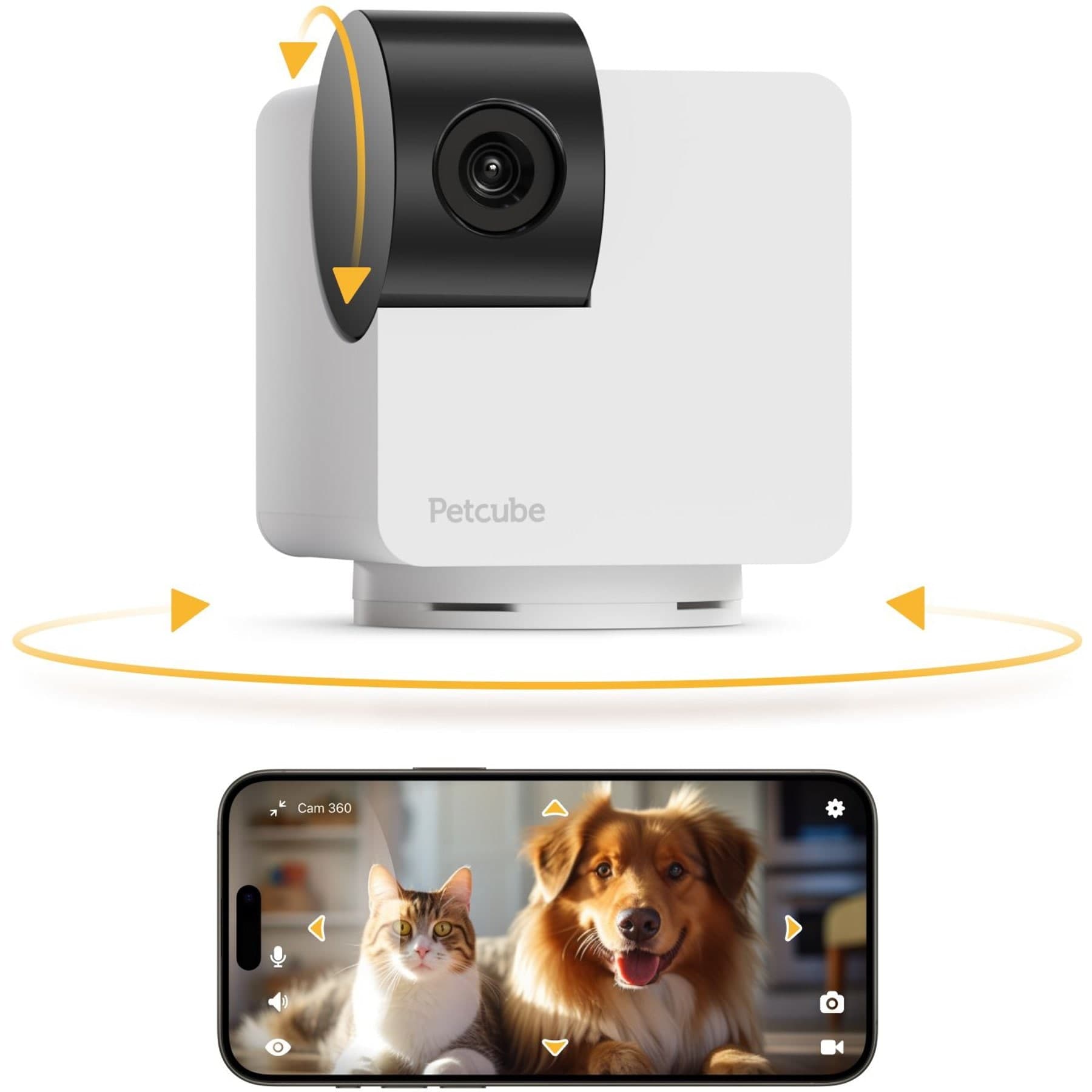
Pan/tilt live monitoring. No treat dispenser; distinguish free live view from optional paid services.
Petful may earn a commission when you click through to Chewy, at no extra cost to you.
The Petcube Cam 360 in White is the straightforward viewing option in this group. Petcube specifies 1080p video, a 105-degree lens view, 350-degree horizontal rotation and 55-degree vertical rotation. It uses 2.4GHz Wi-Fi and includes a physical closed-lens privacy mode. Basic use does not require a subscription; saved video and smart alerts are associated with Petcube Care. Petcube’s current Cam 360 description separates those functions.
Its practical advantage is being able to change the viewing direction without moving the whole device. For example, you could look toward a dog’s bed and then toward another part of the same open room. That is useful when a fixed camera position would otherwise force you to choose between two activity areas.
- Consider it for live check-ins across an open room.
- Choose a different function if dispensing treats is essential.
- Check the current Petcube Care offering if saved events or smart alerts are central to the purchase.
- Make sure a 2.4GHz network is available where the camera will sit.
The product name does not mean that every part of the room appears in one image. The lens sees one area at a time, and the motor changes its direction. Its privacy mode is also a separate decision from leaving the app closed: a camera may remain active when nobody is actively watching through a phone.
Petcube Bites 2 Lite: for supervised treat introduction
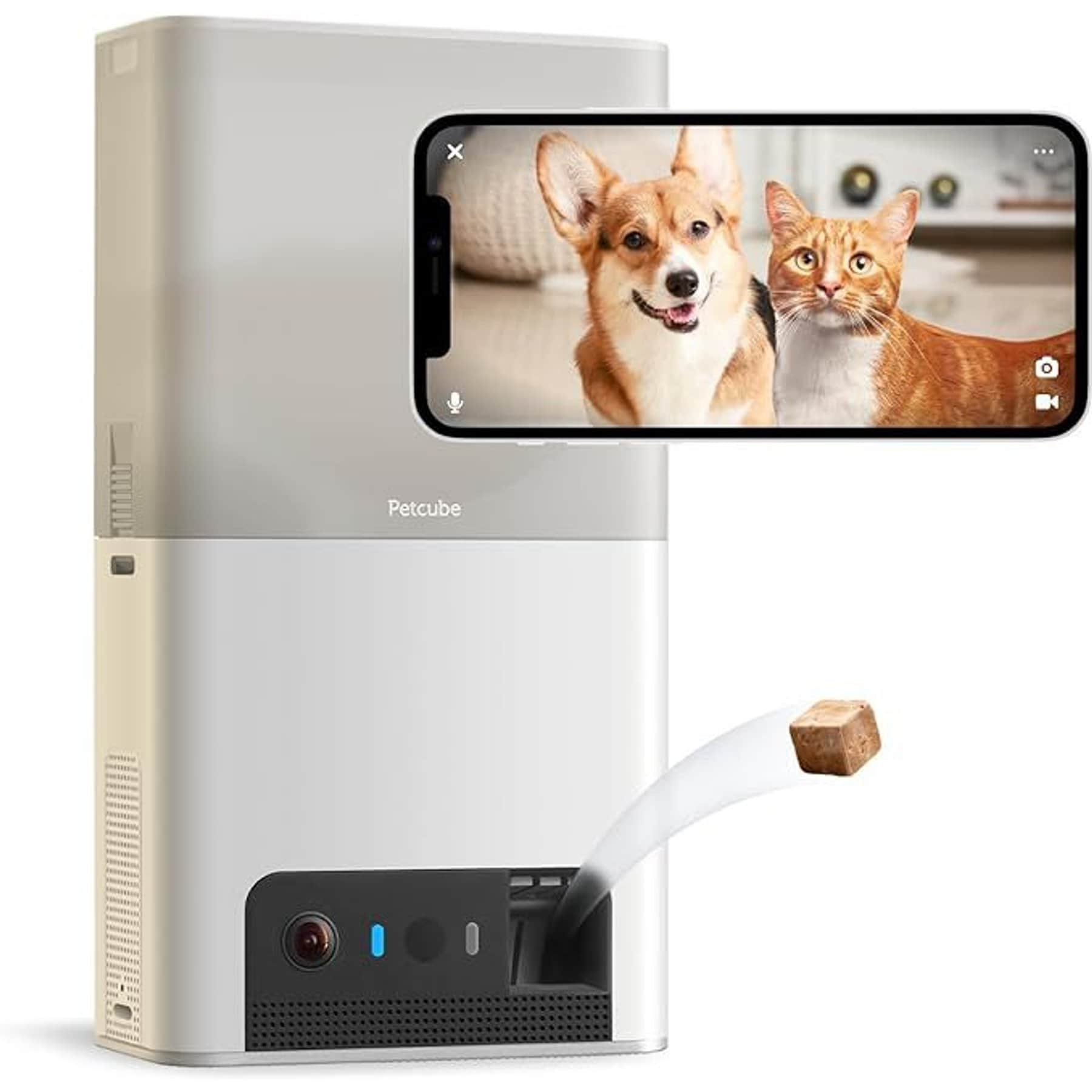
Treat dispensing. 2.4GHz connection; recording and alert entitlements require current plan verification.
Petful may earn a commission when you click through to Chewy, at no extra cost to you.
The Petcube Bites 2 Lite combines a stationary camera with a treat dispenser and two-way audio. Its documented connection is 2.4GHz Wi-Fi, and its video specification is 1080p. It is the relevant pick here when you want to see your pet and send a treat into an established, clear landing area.
Stationary placement is an important tradeoff. The camera does not become a motorized pan-and-tilt model because it can toss treats. Choose a position that shows both the pet’s approach and the place the treats land. If the dispenser faces a narrow gap beside furniture, the camera may show the launch while missing what happens afterward.
The Bites 2 Lite user guide is the right starting point for setup, compatible treats and maintenance. Use the directions for this exact model rather than transferring advice from another Petcube product or a different brand’s dispenser.
- Place the unit where the base remains stable during normal pet activity.
- Keep the dispensing path free of furniture, cables and small objects.
- Confirm that the treats suit both the mechanism and your pet’s diet.
- Observe several dispensing attempts while you are present.
- Check recording and alert entitlements separately from the physical treat function.
A treat camera is most useful when it fits a predictable interaction. For example, you might check that the dog is in its usual area, offer a familiar cue, and dispense a small reward. Repeatedly launching treats simply because you can may interrupt rest or encourage the pet to wait at the machine instead of settling elsewhere.
Petlibro Granary camera-feeder bundle: for watching meals
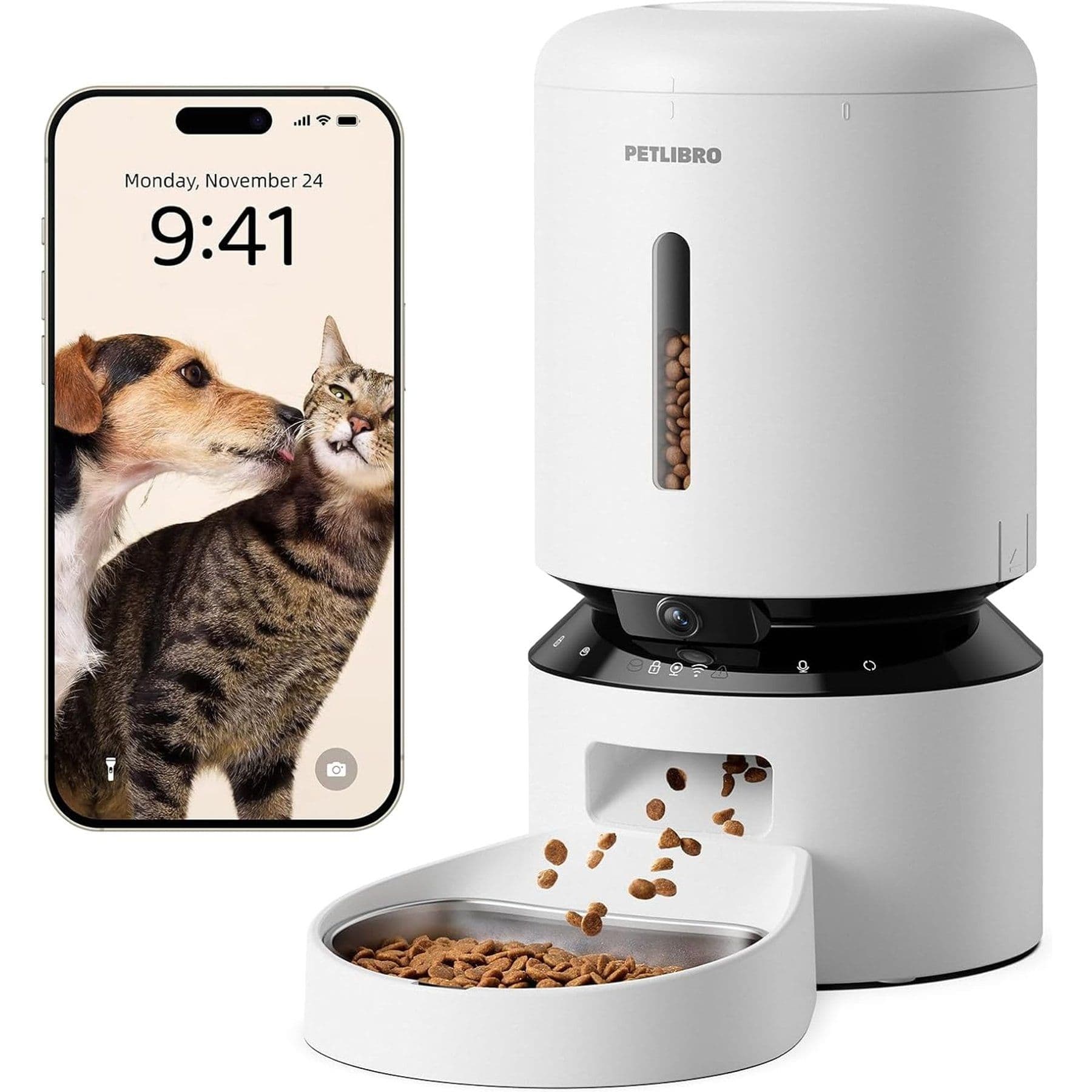
Meal monitoring and scheduled dry-food feeding
Petful may earn a commission when you click through to Chewy, at no extra cost to you.
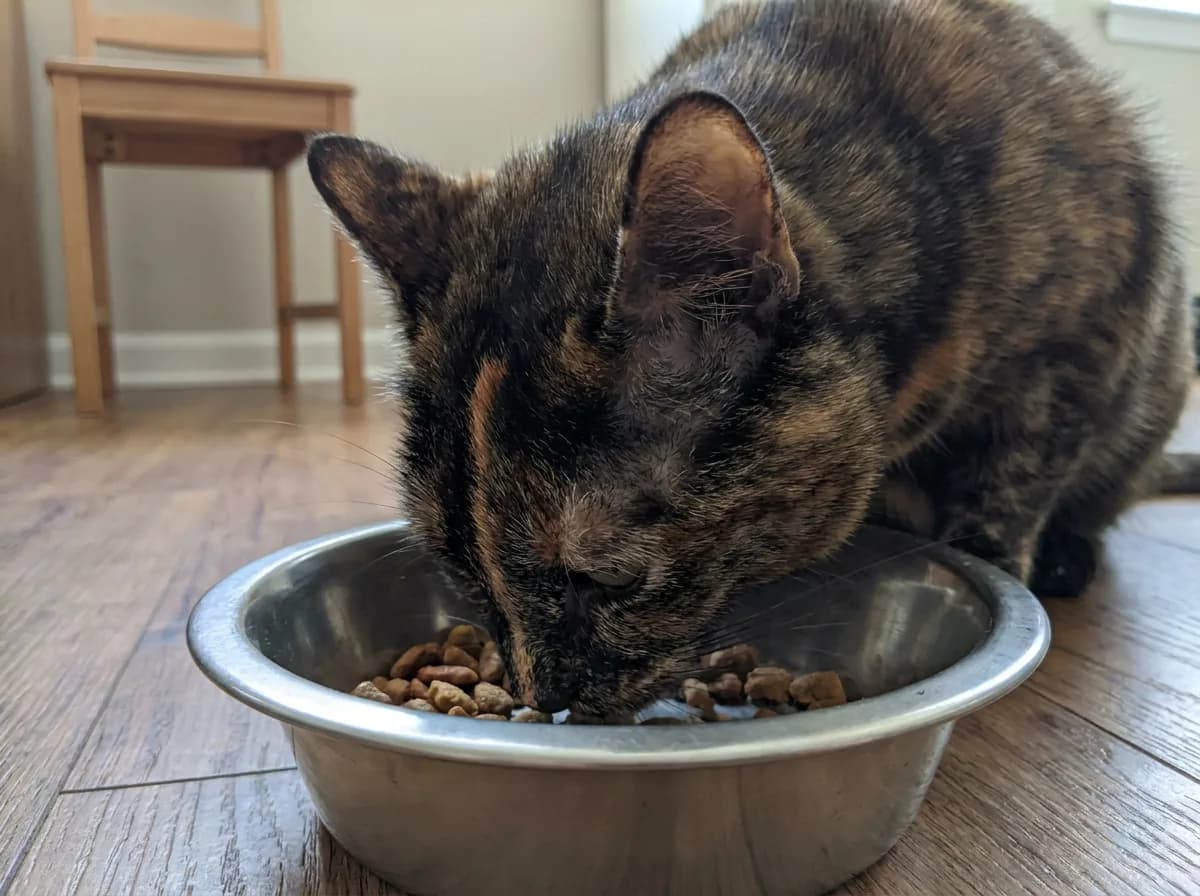
The Petlibro Granary White 5-L camera-feeder bundle is the meal-monitoring choice. This exact bundle includes the camera feeder, three desiccant bags and 90 days of video cloud storage. Its purpose is different from tossing occasional treats: it combines scheduled dry-food feeding with a view of the feeding area.
Petlibro documents a 1080p camera with a 145-degree downward-facing lens, night vision, two-way audio and support for 2.4GHz and 5GHz Wi-Fi. Live viewing does not require a subscription, while local microSD recording and optional cloud storage provide different recording routes. The manufacturer’s Granary camera-feeder page describes the hardware and monitoring functions.
The camera angle is an advantage when your question concerns the bowl. It is a limitation when you want to watch a whole room. Choose the feeding location for comfortable access and an unobstructed view of the eating area, rather than positioning the feeder to capture a doorway at the expense of the meal.
- Choose it for scheduled dry-food meals and observation at the bowl.
- Check the exact bundle rather than assuming every Granary package includes the same accessories or cloud period.
- Plan for feeder cleaning and desiccant maintenance as well as camera setup.
- Confirm the app and setup instructions for the supplied hardware.
- Treat the 90-day cloud inclusion as a limited service period.
Its battery backup deserves particular attention. Petlibro states that backup batteries continue scheduled meals but disable Wi-Fi and camera operation. A feeder that keeps dispensing during a power interruption therefore does not necessarily keep providing a live view. Batteries and a microSD card are not included in the standard hardware arrangement described by the manufacturer’s PLAF203 support guidance.
A camera at a bowl also does not establish how much an individual animal ate. Seeing food dispensed, seeing a pet approach and seeing the bowl later are different observations. Do not treat this Granary model as a selective-access feeder, a bowl scale or an identification system that assigns intake to each pet.
Match the camera to the household
For 2026, there is no single winner across every pet-monitoring job. A useful dog camera may need to cover the entrance and a bed, while a cat camera may need to include an elevated perch and a feeding station. In a shared family space, the same placement decision also determines which people and conversations enter the frame.
If you are comparing these picks with Furbo, start with the feature you would gain. Reolink offers the local-storage approach described here; Petcube Bites focuses on treats; Cam 360 provides adjustable live viewing; Granary connects the view to scheduled feeding. Those are practical alternatives, not a claim that one brand is universally better than another.
- For occasional check-ins, prioritize a dependable live view of the area your pet uses.
- For reviewing earlier activity, prioritize recording access and retention.
- For interaction, consider whether your individual pet responds comfortably to audio or treats.
- For feeding oversight, prioritize the bowl view and the feeding routine.
A cheap pet camera is good value only if its useful features remain available at the cost you expect. Compare the camera, required storage and any continuing service together. A low purchase price is less helpful if the feature that motivated the purchase is unavailable after a trial ends.
Ring indoor cameras as pet monitors
A Ring indoor camera can also serve as a pet monitor. The Ring Indoor Cam 2K, formerly Indoor Cam Plus, is a plug-in camera with live viewing and two-way talk. Basic live viewing does not require a subscription, but reviewing saved footage requires a compatible Ring subscription. It is an option for live check-ins, while the Reolink E331 selected here offers local microSD recording. The Indoor Cam 2K’s lens cover blocks its view but only muffles its microphone; disable the microphone in the app for audio privacy.
What works without a subscription?
“No subscription” needs a precise meaning. It can describe free live viewing, local recording, basic audio, or simply a camera that functions after a trial expires. It does not automatically mean unlimited saved video, every alert type, remote access to all recordings, or permanent cloud storage.
The first distinction is between seeing the present and reviewing the past. Live viewing opens a stream while you are connected. Recording preserves footage for later. Alerts tell you that a configured event may have occurred. A camera can offer one of those without offering the others on the same terms.
Check the feature, not just the app
Before comparing monthly fees, write down the feature you would miss if it disappeared. “I want to see my dog now” and “I want to find out what caused the noise this morning” are different requirements. The first may be satisfied by basic live view; the second needs a recording method with a usable history.
Use these questions to separate the promises:
- Can you open the live stream without a paid plan?
- Can you hear the room and speak through the camera without upgrading?
- Where are recordings stored: on a card, in the cloud, or elsewhere?
- Can you review those recordings through the app in the way you expect?
- Which sound, motion or other smart notifications require payment?
- What changes when an included trial or cloud-storage period ends?
The best pet camera without a subscription is therefore the one whose free or locally stored features match your actual routine. A dog owner who checks a bed twice daily may be happy with live viewing. Someone who needs a reviewable record of nighttime activity has a different requirement, even if both owners buy the same hardware.
Local recording and cloud history serve different routines
With the Reolink E331, local recording is the main reason to favor it over a cloud-centered arrangement. The card gives you a place to store footage without making a cloud subscription the foundation of the setup. You still need to manage the storage and confirm how your chosen recording settings behave.
A storage limit is not a guaranteed number of days. Video quality, recording settings and the amount of recorded activity affect how much footage fits. Check the oldest available footage after the camera has been running, rather than assuming the largest advertised card capacity translates into a particular retention period.
Compare cloud services separately
For Petcube, treat Petcube Care as a separate service decision. Compare its current recording and notification functions with the job you need done. Do not buy the Bites 2 Lite on the assumption that an older description of free video history is a permanent entitlement. The camera’s identity can stay the same while service terms change.
The Granary bundle has another arrangement: a specified period of included cloud storage alongside the feeder hardware. Its 90-day inclusion is useful for trying recorded meal monitoring, but it is not lifetime service. Local microSD recording and basic live viewing are separate from that included cloud period.
Furbo’s hardware and subscription bundles need separate checks
Furbo 360 Dog Camera can be a good fit when you want a rotating view, two-way audio and treat tossing in one device. With standalone hardware, basic live interaction and barking alerts do not require Furbo Nanny. Saved video and additional smart alerts are subscription features.
A monthly commitment is therefore a purchase-and-service question, not an unavoidable fee for every standalone camera. A discounted Furbo bundle includes an active Nanny subscription, so check its commitment before comparing its upfront price with standalone hardware. Furbo's standalone-versus-bundle explanation and US feature comparison distinguish those arrangements.
- Separate the hardware purchase from any subscription agreement.
- Identify the features you would keep if the service ended.
- Check whether the included service renews and how renewal is managed.
- Compare the total arrangement with a local-recording camera if avoiding recurring fees is your main goal.
A paid service can be worthwhile when it provides the history or alerts you will use. The problem is paying for a feature you assumed was included, or choosing a free live-view camera when your real need is reviewing earlier footage. Decide that before comparing attractive extras.
Before a trial ends, use the camera in the routine you expect to maintain. If you rarely open saved events, basic live viewing may be enough. If your useful discoveries consistently come from reviewing earlier activity, recording deserves a place in the budget. That is a more meaningful comparison than counting app features you never use.
Treat tossing and two-way audio
An interactive pet camera adds an action to the viewing experience: you can speak, dispense a treat, or use a feeder’s controls. The value depends on the animal’s response. A dog that quietly eats a tossed treat and returns to bed presents a different situation from one that becomes excited and searches for the person behind the voice.
Introduce those functions while you are home. Start with a brief sound or a small treat, watch what happens, and stop if the interaction appears unsettling. Remote access should build on a familiar routine, not be the first time your pet encounters a voice coming from an unfamiliar object.
Choose treats for the mechanism and the animal
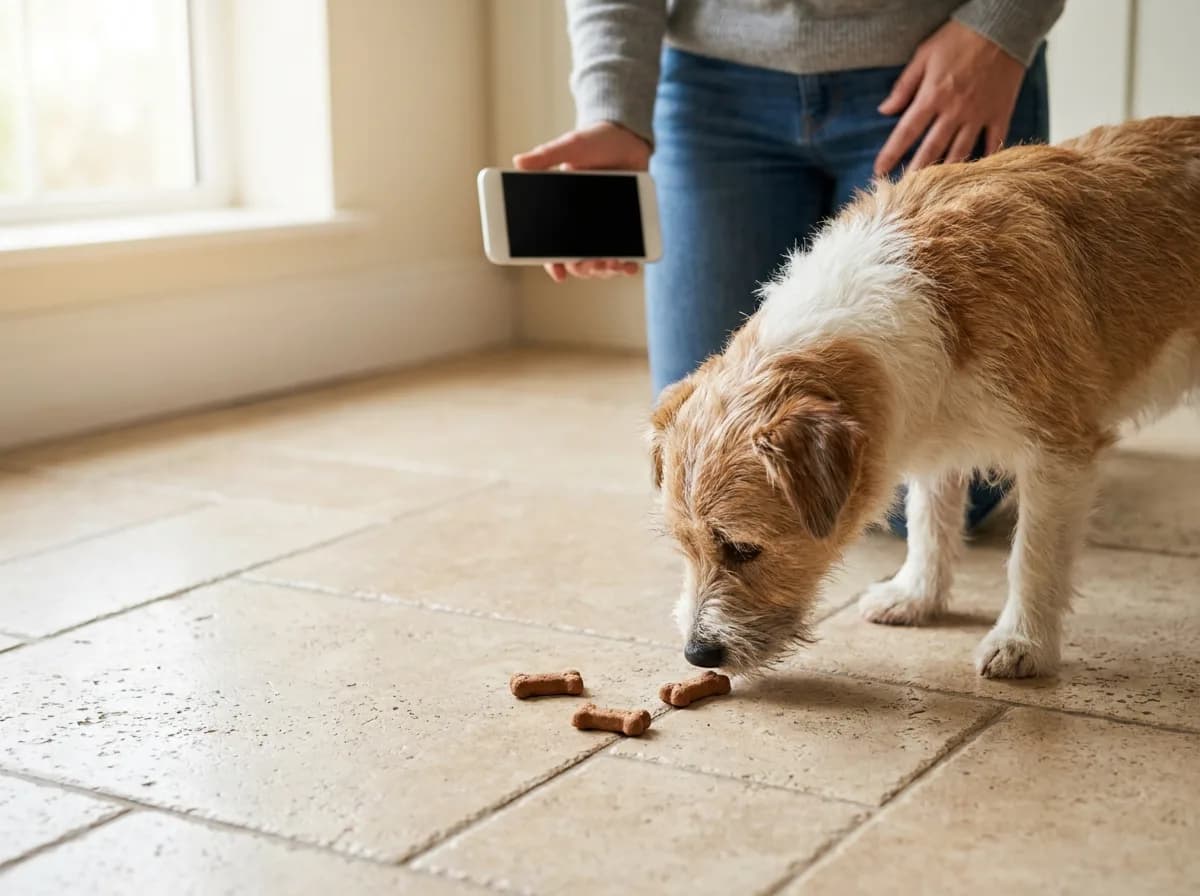
The best treats for a camera dispenser are compatible with that device and appropriate for the animal receiving them. Shape, texture and size can affect whether a mechanism works as intended. A recommendation for one dispenser does not establish compatibility with another, even when the treats look similar.
Follow the model’s instructions rather than experimenting remotely. Test dispensing while you can see and reach the unit, then inspect the landing area. Do not assume that a successful button press confirms that a treat emerged, landed where expected, or was eaten by the intended animal.
In a home with more than one pet, watch the interaction between animals as carefully as the dispenser. One pet may reach the treat first or remain near the unit. The camera’s field of view should show the whole approach area, not only the animal directly in front of the lens.
- Include dispensed treats in the pet’s usual food allowance.
- Avoid loading food that the manufacturer does not support.
- Recheck the unit after changing treat type or size.
- Pause remote dispensing if pets compete around the landing area.
- Keep the normal feeding and care routine independent of a camera interaction.
Cleaning is part of owning a food-handling device. Check which components are removable, how each should be cleaned and when everything is dry enough to reassemble. Do not assume that a removable container, the camera body and electrical components share the same cleaning instructions.
Use audio briefly and observe the response
Two-way audio means the device includes a microphone and speaker so you can hear the area and speak into it. It does not necessarily include a screen that lets the pet see you. In this group, the phone is your viewing screen; do not assume a video-call experience from the phrase “two-way.”
Try a short, familiar phrase while another person watches your pet in the room. Notice whether the animal remains relaxed, approaches comfortably, searches for you, or becomes more vocal. Keep your first interaction brief enough that you can see the response rather than covering it with more speech.
A camera with a speaker can be useful, but talking more is not automatically more reassuring. If your pet ignores the sound and continues resting, you do not need to keep prompting a response. If the voice appears to unsettle the pet, use silent observation and discuss the behavior with an appropriate professional.
Observe distress without treating the camera as the remedy
A pet camera can reveal a pattern worth discussing: activity after departures, repeated vocalization, or difficulty settling. That makes it an observation tool. It does not diagnose separation anxiety, and dispensing treats or speaking through a microphone is not a substitute for an individual care plan.
When you notice a concerning pattern, preserve the relevant context as well as the clip. Record when you left, how long the behavior lasted, and what happened before and afterward. A short isolated moment can be less informative than the sequence surrounding it.
- Note the time and situation associated with the behavior.
- Avoid repeatedly triggering an upsetting interaction to get better footage.
- Share useful observations with your veterinarian or qualified behavior professional.
- Arrange physical care and support when the pet needs them.
Petful’s guidance on helping a dog with separation anxiety explains why the underlying problem needs more than a quick distraction. A camera is helpful when it informs that work, not when its presence becomes a reason to leave a struggling animal without support.
Choosing and positioning a camera for cats
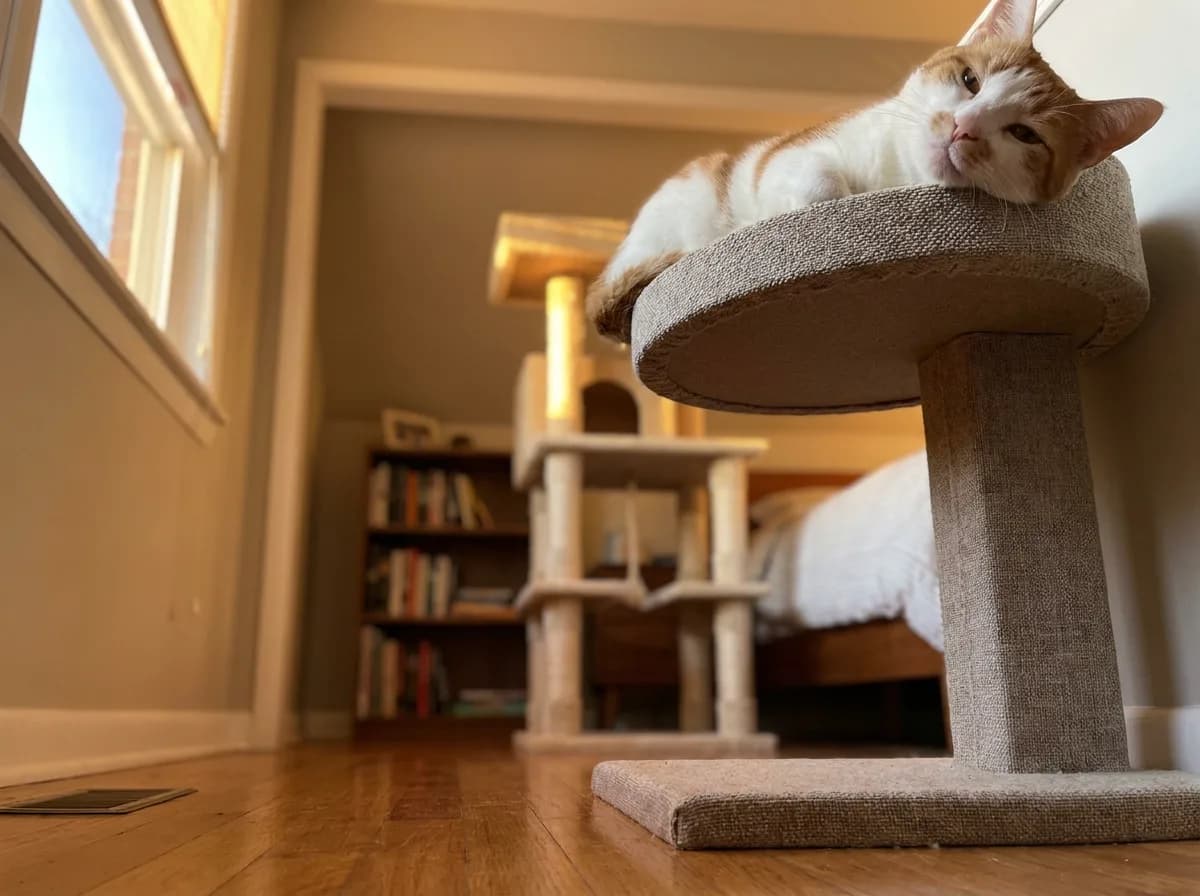
The best pet camera for cats is often the one that sees the places the cat actually chooses. That may be an elevated platform, a chair back, a sheltered bed or a feeding station. A camera aimed across open floor can deliver a clear picture all day while barely showing the animal you wanted to watch.
For watching a cat move between visible resting places, Petcube Cam 360 is the adjustable-view choice here. Choose the Granary when the feeding bowl is the priority, or Reolink E331 when keeping recordings locally matters most. Check that the camera can actually tilt toward the relevant perch; horizontal rotation alone does not establish that.
Map the cat’s vertical space
Stand where you expect to put the camera and look toward your cat’s usual locations. Furniture that looks low from your standing height can block a camera placed on a shelf. A perch near the ceiling may also sit outside the camera’s upward view, even if its horizontal rotation is generous.
Choose a few observations that matter to you:
- The cat entering and leaving a preferred resting place.
- Movement between the floor and an elevated platform.
- Visits to the feeding area.
- Whether another animal blocks a route through the room.
- The view available when doors are in their usual positions.
This approach is more useful than buying a camera simply because its name mentions cats. Whether you are comparing a Furbo cat camera, a Wyze camera used for cat monitoring or one of these picks, the same placement questions apply. Check the exact model’s viewing direction, recording arrangement and interaction features rather than treating the brand as a complete specification.
A compact or mini camera can be easier to fit on a shelf, but size does not establish stability. Leave room for a cat to move normally without squeezing past the device or its cable. Do not take over a favorite landing spot simply because it gives the lens an attractive angle.
Keep observation separate from play
A cat camera with a laser adds another activity to manage. It is not necessary for observation, and none of the four selected picks relies on a laser feature. If your goal is to see whether your cat is resting, eating or moving around, start with visibility and recording rather than adding a remotely controlled game.
Treat dispensing also deserves a supervised introduction for cats. The sound of a motor, the movement of food and the voice from a speaker are separate new experiences. A cat may approach one and avoid another. Give the cat room to leave, and do not position the interaction device where it blocks access to food, water or a resting area.
- Start with the camera stationary and silent.
- Confirm that the cat can use its normal routes comfortably.
- Introduce an optional sound or food interaction briefly while you are home.
- Keep the feature off if it interferes with resting or normal movement.
Plan for more than one cat
In a multi-cat home, a single view can show the first animal that enters the frame while missing another waiting nearby. This matters at a shared bowl or a narrow route to a perch. Frame the surrounding space when possible, rather than zooming tightly onto the most obvious pet.
A feeder camera may show that one cat visited the bowl, but this Granary is not a selective-access system. Do not infer that each cat received its intended meal from the feeding schedule alone. Continue the feeding arrangement that suits the household, and use the view to add information rather than replace it.
Choose room coverage or routine monitoring
For cats that spend time in separate rooms, a second stationary viewpoint may answer your question more directly than a camera that rotates within only one room. Decide which location is most important first. More cameras also mean more accounts, recordings or access settings to manage, so expand for a specific observation need.
The practical choice is between watching a room and watching a routine. Choose room coverage when you want to see movement among visible resting places. Choose meal monitoring when the bowl is the priority. Neither view is complete merely because the camera can turn, zoom or send an alert.
Wi-Fi, power, coverage and privacy
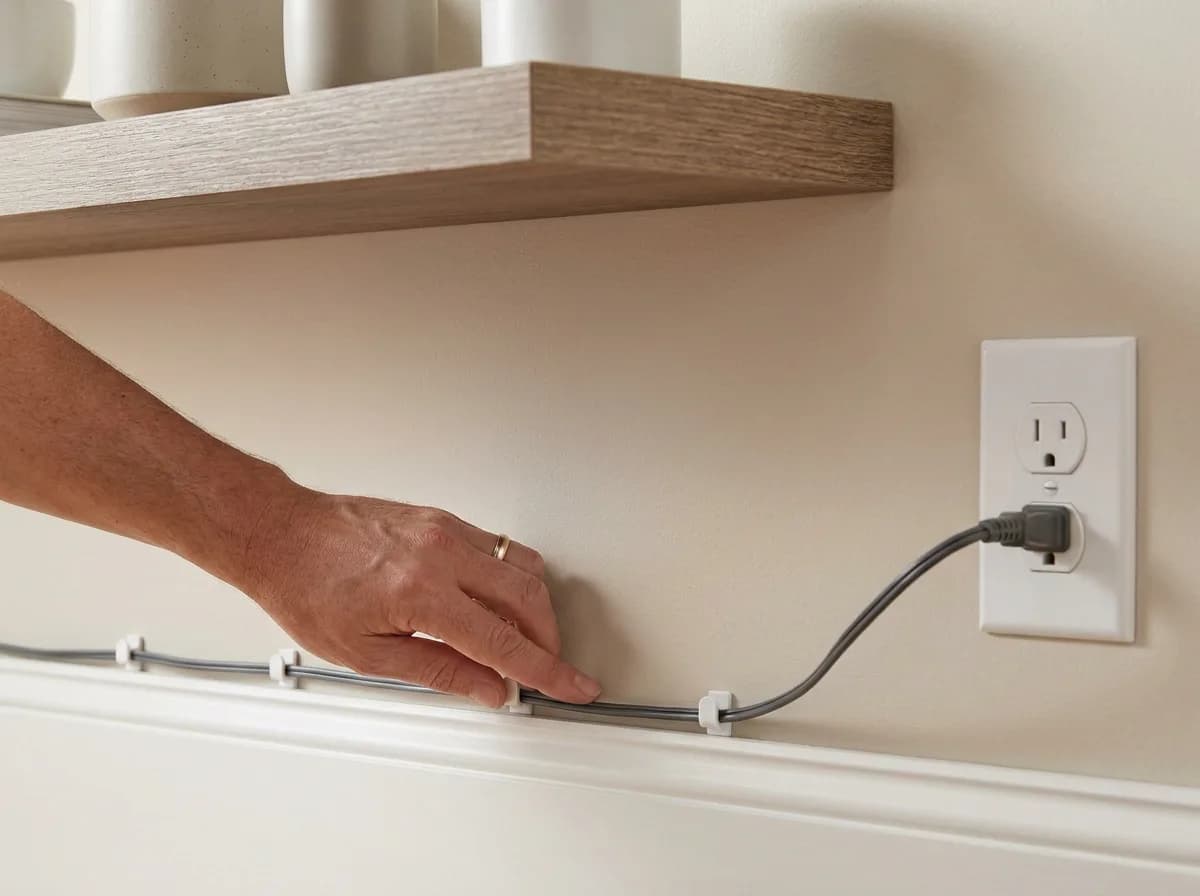
A wireless pet camera usually communicates through Wi-Fi; that does not mean it operates without a power cable. Before choosing a model, identify the outlet, network connection and stable mounting position together. A convenient shelf is not useful if the camera cannot connect reliably there or its cable crosses a pet’s route.
The selected models also differ in network bands. Reolink E331 and the Granary camera feeder support 2.4GHz and 5GHz Wi-Fi. Petcube Cam 360 and Bites 2 Lite use 2.4GHz. Match the camera to the network available at the intended position rather than assuming every device joins every home Wi-Fi arrangement.
Separate the lens view from horizontal rotation
The lens field of view describes the area in one image. Horizontal rotation describes how far the camera can turn. A wide lens can show more without moving; a motorized camera can point in different directions. Neither specification means the camera sees every direction simultaneously.
Petcube Cam 360 illustrates the distinction: its stated lens view is 105 degrees, while its motor provides 350 degrees of horizontal rotation. Reolink lists 355-degree pan and 50-degree tilt for the E331. Those movement ranges help with positioning, but furniture, walls and shelf edges still create blind spots.
- Check the view of the pet’s usual bed or perch.
- Move the camera through the positions you expect to use.
- Look for furniture blocking the floor or elevated routes.
- Confirm the view with doors in their ordinary open or closed positions.
- Recheck after moving the device or rearranging the room.
Night vision needs its own placement check. Review the actual view after the room becomes dark, including any nearby surfaces that appear bright or obscure the scene. Do not assume that a useful daytime position produces an equally useful nighttime image.
Digital zoom also changes the displayed view rather than moving the camera closer to the pet. Use it to inspect a portion of the image, then return to a wider view when context matters. A close crop can hide another animal, an approaching person or the object that explains the behavior you are seeing.
Understand what happens without Wi-Fi or internet
None of these four picks should be chosen as a remote-viewing solution for a location with no suitable network. A camera needs a working communication path to send a live view to your phone away from home. Local storage and remote access solve different problems.
An internet interruption is also different from losing power. A powered device may retain some local functions, depending on its configuration, while remote viewing becomes unavailable. Do not assume that a cloud recording, push notification or app command will arrive during that interruption. Check the exact model’s offline behavior before depending on a particular function.
- Internet outages interrupt remote viewing even when the camera still has power. For the Granary, battery backup can continue scheduled feeding, but Wi-Fi and the camera do not work on that backup.
That makes backup feeding valuable without making it backup video. The camera cannot confirm those meals remotely while operating in that backup condition.
A useful setup check is to verify the view from your phone when the phone is using mobile data rather than the home Wi-Fi. This confirms the remote connection you actually intend to use. Perform the check while another person can remain with the pet, or while you are still close enough to manage any setup problem.
Portability means more than a small camera
The best portable pet camera depends on the destination’s power and network, not just the size of the device. A compact camera may move easily from one room to another, but moving it to a different home can require new setup. Accommodation Wi-Fi with a browser sign-in page may also differ from the home network arrangement expected by the camera.
None of these four is a network-free travel monitor. For temporary indoor check-ins, Petcube Cam 360 is the live-view option in this selection, provided you have a suitable outlet and compatible 2.4GHz Wi-Fi.
Before taking a camera away, confirm:
- An accessible power outlet at a stable placement point.
- Permission to use the device in the accommodation.
- A Wi-Fi connection the model can join.
- A useful view without recording shared or private areas unnecessarily.
- Enough time to complete setup before leaving the animal.
A mobile robot camera is another distinct category. Its ability to change position introduces floor access, obstacles and pet-response questions that do not apply in the same way to a fixed shelf camera. This shortlist does not rank robot models or promise that a moving camera solves coverage problems.
Check the app and alerts before relying on them
The best pet camera app is the one that works on your current phone and makes the functions you need accessible. Check compatibility for your iPhone or Android device, complete setup and sign in before the first time you need remote monitoring. A free app download does not establish that saved video or smart notifications are free.
Decide what should interrupt your day. A general sound notification is different from a model-specific bark alert, and motion detection is different from a reliable explanation of what caused the movement. Review which alert types the exact hardware and service support, then adjust them around the area you intend to monitor.
- Confirm that phone notifications are enabled where needed.
- Check whether a useful event produces the notification you expected.
- Review whether ordinary room activity creates too many irrelevant alerts.
- Keep recording and notification settings distinct in your decision.
- Revisit settings after an app, service or placement change.
Leaving a camera available for 24/7 check-ins does not prove it records continuously or that someone is watching continuously. Confirm the recording mode and history separately. The camera should make it easier to answer a question about your pet, rather than create an expectation that every moment is automatically preserved and reviewed.
Make camera access a household decision
Indoor footage can include family members, visitors and private conversations as well as pets. Agree on the areas to be monitored and who needs access. Prefer the manufacturer’s supported sharing controls over casually passing around a primary account password, and remove access when it is no longer needed.
- Decide who has camera access and when monitoring should stop. Privacy mode, a closed app and a powered-off device are different states. Check the exact model's controls and confirm the intended setting before assuming the lens or recording is inactive.
Petcube Cam 360 provides a closed-lens privacy mode, while Reolink describes privacy controls that stop monitoring. Use the documented control for the exact device. The state of an app on your phone is not a substitute for checking what the camera itself is doing.
Keep account credentials unique, install supported updates and review shared access periodically. Position the lens to capture the pet area you need rather than as much of the home as possible. Finally, keep an ordinary care plan in place: someone who can respond, feeding and water arrangements, and appropriate company or visits. The camera adds visibility to that plan; it cannot carry it out.
Questions readers ask
Not for basic use. Standalone Furbo 360 hardware gives live interaction and barking alerts without Furbo Nanny, and the same split applies to these picks: Live viewing and two-way audio work without a plan on the Petcube Cam 360, Bites 2 Lite and Petlibro Granary, and the Reolink E331 records locally to a microSD card (up to 512GB) instead of a cloud timeline. Saved video history and smart alerts are the features that usually sit behind a subscription such as Petcube Care or Furbo Nanny, so decide which of those you would actually use before paying.
None of these four works as a remote monitor without a network. A live view on your phone away from home needs a working connection at the camera. Local recording solves a different problem: the Reolink E331 keeps footage on its card during an internet outage, but you cannot watch it until the connection returns. The Granary’s battery backup continues scheduled meals, yet its Wi-Fi and camera stop on batteries.
The one that sees where your cat actually goes: an elevated perch, a sheltered bed or the feeding station, not the open floor. In this group, the Petcube Cam 360 is the adjustable-view choice for watching a cat move between visible resting places, the Granary suits a bowl-first question, and the Reolink E331 fits when local recording matters most. Check that the camera can tilt toward the relevant perch; horizontal rotation alone does not prove that.
It can be, when you want a rotating view, two-way audio and treat tossing in one device. Standalone Furbo 360 hardware gives basic live interaction and barking alerts without Furbo Nanny; saved video and additional smart alerts are subscription features. A discounted bundle includes an active Nanny subscription, so check that commitment before comparing its upfront price with a local-recording camera like the Reolink E331.
It can show you the pattern: activity after you leave, repeated vocalizing, trouble settling. That makes it an observation tool, not a treatment. Talking through the speaker or tossing treats does not replace an individual care plan. Note the time, how long the behavior lasted and what happened around it, then share that with your veterinarian or a qualified behavior professional, and arrange real care and company for the dog in the meantime.

Mary Siobhan Brier is a writer, SEO expert, and managing co-founder of Inkless Writing Agency. She shares book reviews and writing advice on her YouTube channel, @siobhanbrieraguilar. An avid animal lover, she lived for one year on the Galapagos Islands, meeting all sorts of creatures. She has traveled and lived throughout much of the Americas, birdwatching all the while. She is the proud mother to a dignified, long-haired jack russel named Argo. You can sign up for her newsletter at siobhanbrier.com, get writing advice from inklessagency.com, or follow her on LinkedIn.
Sign up for expert-backed reviews and safety alerts all in one place.